
Best Practices to Incorporate Natural Elements into Digital Design Projects
Digital design doesn't have to feel digital. You've probably noticed the trend — websites, apps, and brand identities increasingly feature organic textures, nature photography, and earth-inspired color palettes that make digital experiences feel more human and approachable. This shift toward biophilic design isn't just aesthetic preference; it's rooted in how we respond psychologically to natural elements, even when we encounter them through screens.
Whether you're designing a wellness brand's website, creating social media content, or developing an app interface, strategically incorporating natural elements can transform clinical digital spaces into environments where audiences feel comfortable, engaged, and connected. And with the Adobe Stock nature inspiration collection offering from botanical illustrations to landscape photography to organic textures, you have instant access to professionally captured natural elements. They’ll elevate your digital design projects without requiring you to photograph or create every element from scratch.
Key takeaways:
Whether you're designing a wellness brand's website, creating social media content, or developing an app interface, strategically incorporating natural elements can transform clinical digital spaces into environments where audiences feel comfortable, engaged, and connected. And with the Adobe Stock nature inspiration collection offering from botanical illustrations to landscape photography to organic textures, you have instant access to professionally captured natural elements. They’ll elevate your digital design projects without requiring you to photograph or create every element from scratch.
Key takeaways:
- Natural elements improve user experience: Biophilic design principles show that incorporating nature imagery, organic shapes, and earth tones in digital interfaces reduces stress and increases engagement compared to purely geometric, sterile designs.
- The Adobe Stock nature collection provides design versatility: Access photography, vectors, illustrations, textures, and video spanning every natural element, from subtle leaf patterns to dramatic landscape imagery. You can match natural elements to any project's aesthetic.
- Strategic integration matters more than quantity: Effective natural design doesn't mean covering everything with leaves and flowers. It's about thoughtful placement of organic elements that enhance rather than overwhelm your digital composition.
- Natural textures add depth and authenticity: Incorporating wood grain, stone surfaces, water patterns, and organic textures creates a tactile quality in flat digital designs, making interfaces feel more dimensional and engaging.
- Hybrid approaches maximize creative flexibility: Combining Adobe Stock natural elements with your custom design work, typography, and branding helps you create unique compositions that feel both professional and organically grounded.
Understanding biophilic design principles for digital spaces
Biophilic design, the practice of incorporating natural elements into built environments, translates powerfully to digital interfaces. When you integrate natural elements into websites, apps, or digital marketing materials, you're both making aesthetic choices and creating psychological responses that affect how users feel about your brand and how long they engage with your content.
The key is understanding that biophilic design works at multiple levels. Direct nature experiences, like photos and videos of actual environments, create the strongest connections. Indirect experiences use natural colors, organic shapes, and patterns inspired by nature without literal representation. Both approaches work, and combining them often produces the most effective results.
When browsing the Adobe Stock nature inspiration collection, think beyond obvious nature photography. Consider how botanical illustrations might enhance branding elements, how natural textures could add depth to backgrounds, or how nature videos might create engaging website hero sections. The collection offers natural elements in every style and format, giving you the flexibility to match your project's aesthetic whether minimalist modern or richly detailed.
The key is understanding that biophilic design works at multiple levels. Direct nature experiences, like photos and videos of actual environments, create the strongest connections. Indirect experiences use natural colors, organic shapes, and patterns inspired by nature without literal representation. Both approaches work, and combining them often produces the most effective results.
When browsing the Adobe Stock nature inspiration collection, think beyond obvious nature photography. Consider how botanical illustrations might enhance branding elements, how natural textures could add depth to backgrounds, or how nature videos might create engaging website hero sections. The collection offers natural elements in every style and format, giving you the flexibility to match your project's aesthetic whether minimalist modern or richly detailed.
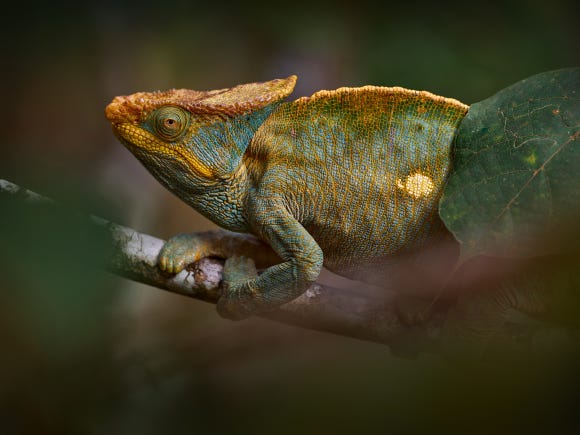
Wildlife Photography Guide
Master settings and storytelling for wildlife shots
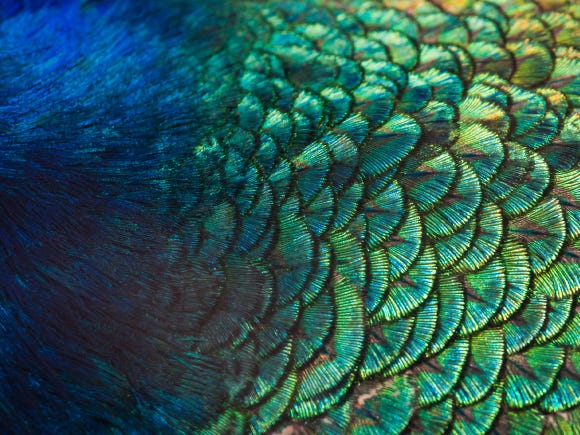
Nature Colors Psychology
Why greens and blues spark calm creativity
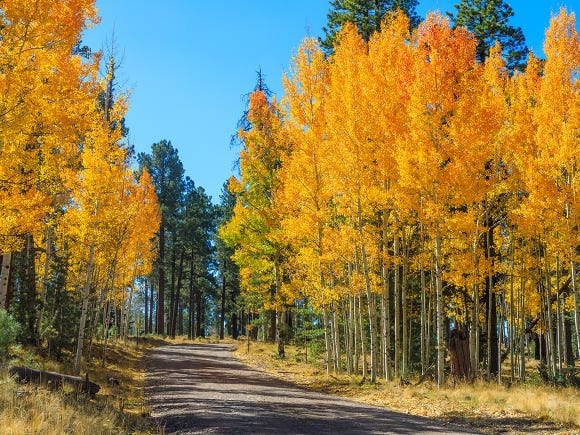
Seasonal Nature Photography
Tips for capturing nature across all seasons


Using botanical illustrations and vector graphics
Not every natural element in digital design needs to be photorealistic. Botanical illustrations, vector graphics, and stylized natural elements often integrate more seamlessly into brand systems, offer more flexibility for color adjustment, and scale perfectly at any size without quality loss — essential advantages for responsive digital design.
The Adobe Stock vector collection offers thousands of nature-inspired graphics from highly realistic botanical illustrations to minimalist line drawings to abstract organic shapes. Vectors let you adjust colors to match brand palettes exactly, scale elements from tiny icons to massive hero graphics without pixelation, and combine multiple elements into custom compositions that feel unique to your project.
Botanical illustrations work particularly well for wellness brands, sustainable products, beauty companies, and any brand emphasizing natural or organic positioning. They provide nature connections without the literal realism of photography, creating sophisticated visual systems that feel both natural and refined. Search terms like botanical line art, minimalist leaf, or abstract floral return vector elements suitable for backgrounds, accent graphics, or icon systems.
Consider creating custom pattern systems using Adobe Stock vectors. License several coordinating botanical elements, adjust their colors to match your brand palette, and arrange them into repeating patterns for backgrounds, section dividers, or branded textures. This approach will create a distinctive visual identity while maintaining natural aesthetic roots.
The Adobe Stock vector collection offers thousands of nature-inspired graphics from highly realistic botanical illustrations to minimalist line drawings to abstract organic shapes. Vectors let you adjust colors to match brand palettes exactly, scale elements from tiny icons to massive hero graphics without pixelation, and combine multiple elements into custom compositions that feel unique to your project.
Botanical illustrations work particularly well for wellness brands, sustainable products, beauty companies, and any brand emphasizing natural or organic positioning. They provide nature connections without the literal realism of photography, creating sophisticated visual systems that feel both natural and refined. Search terms like botanical line art, minimalist leaf, or abstract floral return vector elements suitable for backgrounds, accent graphics, or icon systems.
Consider creating custom pattern systems using Adobe Stock vectors. License several coordinating botanical elements, adjust their colors to match your brand palette, and arrange them into repeating patterns for backgrounds, section dividers, or branded textures. This approach will create a distinctive visual identity while maintaining natural aesthetic roots.
Selecting nature photography for digital design contexts
Nature photography serves different purposes in digital design than in editorial or fine art contexts. As a designer, you're not just selecting beautiful images you're choosing visual elements that support messaging, maintain readability, and integrate seamlessly with typography, navigation, and other interface elements.
When searching Adobe Stock for nature photography to use in digital designs, prioritize images with compositional space. Photographs with large areas of sky, water, or negative space give you room to overlay text, buttons, or other design elements without cluttering the image or making typography illegible. Look for images where the main subject sits on one side or the bottom of the frame, leaving clean areas for your design additions.
Consider color and tone carefully. High-contrast nature images with bright highlights and deep shadows can make overlaid text difficult to read. Images with even tonal ranges and muted color palettes often integrate more successfully into designs where readability matters. Search terms like soft nature, muted landscape, or pastel botanical help you find nature imagery that won't compete with your typography and interface elements.
Think about the emotional tone, too. Dramatic mountain peaks and stormy seascapes convey different messages than gentle meadows and calm forests. Match nature imagery’s emotional quality to your brand personality. For example, adventure brands benefit from dynamic landscapes while wellness brands often work better with serene, gentle natural scenes.
Choosing nature photography for design integration:
When searching Adobe Stock for nature photography to use in digital designs, prioritize images with compositional space. Photographs with large areas of sky, water, or negative space give you room to overlay text, buttons, or other design elements without cluttering the image or making typography illegible. Look for images where the main subject sits on one side or the bottom of the frame, leaving clean areas for your design additions.
Consider color and tone carefully. High-contrast nature images with bright highlights and deep shadows can make overlaid text difficult to read. Images with even tonal ranges and muted color palettes often integrate more successfully into designs where readability matters. Search terms like soft nature, muted landscape, or pastel botanical help you find nature imagery that won't compete with your typography and interface elements.
Think about the emotional tone, too. Dramatic mountain peaks and stormy seascapes convey different messages than gentle meadows and calm forests. Match nature imagery’s emotional quality to your brand personality. For example, adventure brands benefit from dynamic landscapes while wellness brands often work better with serene, gentle natural scenes.
Choosing nature photography for design integration:
- Compositional space: Select images with negative space areas suitable for overlaying text, navigation elements, or call-to-action buttons without obscuring important details.
- Tonal consistency: Muted, even-toned nature photography integrates more smoothly with design elements than high-contrast dramatic images that compete with typography.
- Color palette alignment: Choose nature photography featuring colors that complement your existing brand palette rather than conflicting with established schemes.
- Scale variety: Collect nature images at different scales like wide landscapes, medium environmental shots, and close-up botanical details for visual hierarchy.
Incorporating natural textures and organic backgrounds
Texture creates dimension in flat digital design. Natural textures like wood grain, stone surfaces, paper textures, and water patterns add tactile quality that makes digital interfaces feel more substantial and engaging. These subtle elements work particularly well as website backgrounds, social media post foundations, or UI element surfaces that benefit from added depth.
When searching Adobe Stock for natural textures, look for high-resolution images with even, repeating patterns suitable for tiling or covering large areas. Subtle textures work better than busy ones. For example, gentle wood grain or light paper texture adds interest without overwhelming content. Search terms like seamless wood texture, subtle stone background, or natural paper texture return assets designed specifically for background usage.
Consider how texture affects readability and visual hierarchy. Heavy, dark textures compete with content and make text harder to read. Light, subtle textures add interest while helping you maintain a clean and professional appearance. Many designers apply textures at reduced opacity, like 30–50% transparency, over solid color backgrounds, creating dimensional effect without sacrificing clarity.
Natural textures also work beautifully for accent elements. Apply a wood texture to navigation bars, a stone texture to button surfaces, or organic patterns to section dividers. These subtle touches reinforce a natural aesthetic without requiring dramatic nature photography throughout your entire design. Browse the Adobe Stock Nature inspiration collection, filtering specifically for texture and pattern imagery.
When searching Adobe Stock for natural textures, look for high-resolution images with even, repeating patterns suitable for tiling or covering large areas. Subtle textures work better than busy ones. For example, gentle wood grain or light paper texture adds interest without overwhelming content. Search terms like seamless wood texture, subtle stone background, or natural paper texture return assets designed specifically for background usage.
Consider how texture affects readability and visual hierarchy. Heavy, dark textures compete with content and make text harder to read. Light, subtle textures add interest while helping you maintain a clean and professional appearance. Many designers apply textures at reduced opacity, like 30–50% transparency, over solid color backgrounds, creating dimensional effect without sacrificing clarity.
Natural textures also work beautifully for accent elements. Apply a wood texture to navigation bars, a stone texture to button surfaces, or organic patterns to section dividers. These subtle touches reinforce a natural aesthetic without requiring dramatic nature photography throughout your entire design. Browse the Adobe Stock Nature inspiration collection, filtering specifically for texture and pattern imagery.
Creating depth with nature video and motion elements
Static images create atmosphere, but nature video adds immersion. Background videos of flowing water, swaying trees, or drifting clouds create subtle movement that draws attention and increases engagement without the distraction of aggressive motion graphics.
The Adobe Stock nature video collection offers thousands of clips specifically designed for background use in digital design.
When selecting nature video for digital projects, prioritize subtle, looping motion over dramatic action. Gentle forest scenes with slight breeze movement, calm ocean waves, or slow-drifting clouds work better than fast-moving waterfalls or stormy weather. The goal is ambient atmosphere, not focal point. Search for terms like subtle nature motion, calm forest background, or gentle water movement to find appropriate clips.
Technical considerations matter for video backgrounds. Choose clips that loop seamlessly as jarring transitions ruin the ambient effect. Ensure that video resolution matches or exceeds your display requirements without creating enormous file sizes that slow page loading. Many designers use compressed versions for web display with optimization for different device capabilities.
Combine nature video with Motion Graphics templates to create polished presentations featuring natural elements. Templates designed with nature themes let you integrate Adobe Stock nature footage with animated text, transitions, and branded elements, so you can create professional video content even if you don’t have extensive motion graphics expertise.
The Adobe Stock nature video collection offers thousands of clips specifically designed for background use in digital design.
When selecting nature video for digital projects, prioritize subtle, looping motion over dramatic action. Gentle forest scenes with slight breeze movement, calm ocean waves, or slow-drifting clouds work better than fast-moving waterfalls or stormy weather. The goal is ambient atmosphere, not focal point. Search for terms like subtle nature motion, calm forest background, or gentle water movement to find appropriate clips.
Technical considerations matter for video backgrounds. Choose clips that loop seamlessly as jarring transitions ruin the ambient effect. Ensure that video resolution matches or exceeds your display requirements without creating enormous file sizes that slow page loading. Many designers use compressed versions for web display with optimization for different device capabilities.
Combine nature video with Motion Graphics templates to create polished presentations featuring natural elements. Templates designed with nature themes let you integrate Adobe Stock nature footage with animated text, transitions, and branded elements, so you can create professional video content even if you don’t have extensive motion graphics expertise.
FAQ
Choose nature images with large areas of even tone suitable for text overlay. Apply darkening or lightening filters to create sufficient contrast for text readability. Position text in negative space areas of images or use semi-transparent overlays between image and text to ensure legibility.

Incredible royalty-free stock photos and more
Whether you need a stunning stock photo, vector image, HD video clip, or Adobe Photoshop template, Adobe Stock has the perfect option.